APSDP Solutions - Smart Business Solutions | GSTIN: 21AWAPD7777M3ZA
APSDP Solutions - Smart Business Solutions | GSTIN: 21AWAPD7777M3ZA


Explore POS billing systems, barcode scanners, barcode printers, thermal billing printers, cash drawers, and cash counting machines for retail and commercial operations. Contact APSDP Solutions in Bhubaneswar, Odisha, for product options and quotations.
APSDP Solutions provides POS hardware, barcode products, and billing equipment for retail stores, supermarkets, hotels, restaurants, warehouses, offices, and other commercial establishments across Odisha. Based in Bhubaneswar, we help businesses explore suitable technology for point-of-sale operations, product identification, receipt printing, and cash handling.
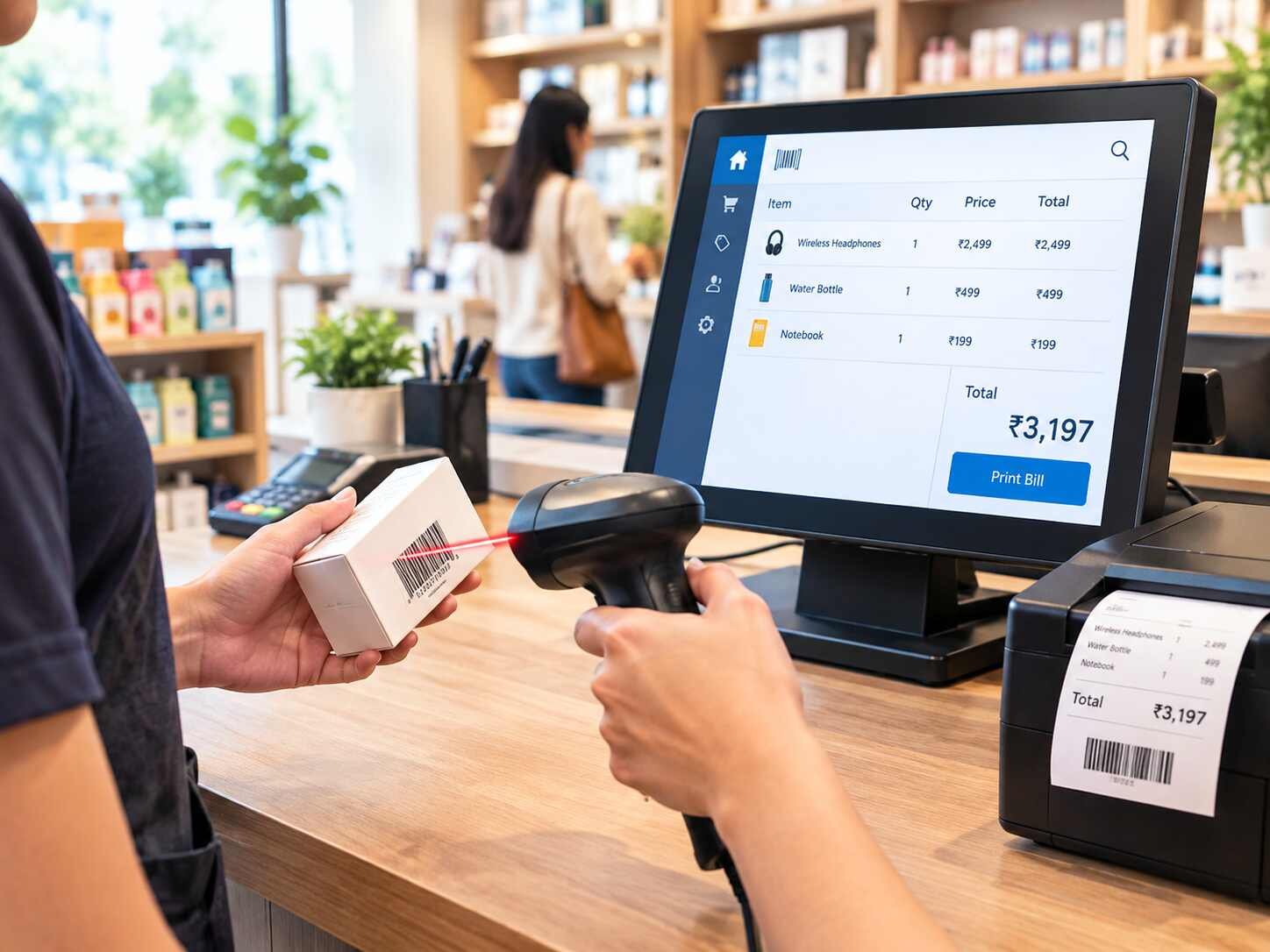
POS stands for Point of Sale. A POS setup can include a computer or POS terminal, billing software, a barcode scanner, a receipt or billing printer, and a cash drawer. The exact configuration depends on the business's workflow, transaction volume, software requirements, and existing infrastructure.
Barcode systems help businesses identify products through printed or encoded barcodes. Compatible scanners and printers can support product lookup, stock operations, product labelling, and billing workflows.
Whether you are equipping a new retail counter or upgrading existing billing hardware, choosing compatible products can help create a practical and efficient business setup.
POS billing systems provide the hardware foundation for point-of-sale transactions. Depending on the configuration, a setup may include a POS terminal or computer, display, scanner, billing printer, cash drawer, and compatible software.
POS equipment can be considered for retail outlets, supermarkets, hospitality counters, and other businesses that process customer transactions.
Before purchasing, confirm the supported operating system, required software, peripheral connectivity, counter space, and compatibility with your billing application.
Barcode scanners read supported barcode formats and transfer the decoded information to a compatible computer, POS terminal, or business application.
Common options include handheld scanners and presentation-style scanners. The appropriate device depends on the barcode type, scanning distance, usage frequency, connectivity, and operating environment.
Barcode scanners can support product lookup, billing counters, stock verification, and selected warehouse workflows.
Barcode printers produce labels containing product codes, identification numbers, or other required information. They can be used for product labelling, inventory identification, warehouse operations, and asset labelling.
Printer selection depends on the label size, print volume, required resolution, supported barcode formats, media type, connectivity, and software compatibility.
For applications requiring durable labels, confirm the suitability of the printer, label material, and ribbon or printing technology for the intended environment.
Billing printers are used to print transaction receipts, invoices, or other business documents supported by the connected application. Thermal printers are commonly considered for retail billing counters and other point-of-sale environments.
Available printer types and functions vary. Before selecting a model, check the paper width, print speed, interface, driver support, operating system compatibility, and whether the device supports the required document format.
Cash drawers provide a designated place to store cash at a billing counter. Compatible models may connect to supported receipt printers or POS systems and open when triggered by the configured transaction workflow.
Confirm drawer dimensions, compartment layout, connection type, trigger compatibility, and suitability for the intended counter.
Cash counting machines help count banknotes and support cash-handling workflows. Depending on the model, available features may include batch counting, denomination-related functions, or counterfeit-detection features.
Do not assume all machines provide denomination recognition or counterfeit detection. Confirm the supported currency, counting capacity, note condition requirements, and available verification features before purchase.
Support checkout operations, barcode-based product identification, receipt printing, and compatible billing workflows.
Explore scanner, printer, and POS configurations suitable for regular product scanning and customer billing.
Use suitable billing hardware at reception desks, service counters, restaurants, or other transaction points, subject to software and peripheral compatibility.
Use barcode scanners and label printers to support stock identification, labelling, and inventory workflows.
Explore barcode-based product identification and billing equipment appropriate to the business's software, products, and compliance requirements.
Consider billing printers, barcode equipment, and cash-handling devices for suitable operational needs.
Efficient product scanning: Compatible scanners can reduce the need for manual code entry.
Consistent receipt printing: Suitable printers can support customer receipts and transaction documents.
Product identification: Barcode labels can help identify products, packages, and assets.
Organized cash handling: Cash drawers and counting machines can support counter operations.
Flexible configurations: Businesses can select equipment according to their counter layout and operational requirements.
Integration potential: Compatible hardware can work with supported POS, billing, and inventory applications.
Actual results depend on the hardware, software, staff workflows, product configuration, and implementation.
Before selecting equipment, consider these factors:
Business type: Identify whether the equipment is for retail, a supermarket, hospitality, a warehouse, or another application.
Billing software: Confirm that the hardware works with your existing or planned software.
Scanner requirements: Check barcode formats, scanning method, connectivity, and expected usage.
Printer requirements: Confirm receipt or label printing needs, paper or media size, print volume, and interfaces.
Cash drawer compatibility: Check the drawer's trigger and connection requirements.
Transaction volume: Select equipment appropriate for the expected daily workload.
Expansion requirements: Consider additional counters, printers, scanners, or locations.
Total configuration: Check whether cables, drivers, accessories, software, and other required components are included.
APSDP Solutions supports product enquiries from businesses in Bhubaneswar and across Odisha, including Cuttack, Puri, Rourkela, Sambalpur, and Berhampur.
If you are looking for a POS billing system, barcode scanner, barcode printer, thermal billing printer, cash drawer, or cash counting machine, share your business requirements with our team.
Contact APSDP Solutions to discuss compatible product options and request a quotation for your billing or barcode application.
APSDP Solutions — Smart Technology. Integrated Solutions.
1. What products are included in POS, barcode and billing systems?
The product category can include POS terminals, barcode scanners, barcode printers, thermal billing printers, cash drawers, and cash counting machines. The exact setup depends on the business application.
2. What is a POS billing system?
A POS billing system is used to process transactions at a point of sale. It may combine a computer or terminal, billing software, scanner, printer, and cash drawer.
3. What is the difference between a barcode scanner and a barcode printer?
A barcode scanner reads barcodes and sends the decoded information to a compatible system. A barcode printer produces labels containing barcodes and other information.
4. Can a barcode scanner work with existing billing software?
Many scanners can work with compatible applications, but compatibility depends on the scanner's connection method, supported barcode formats, operating system, and software configuration.
5. Which printer is suitable for retail billing?
A suitable receipt or thermal printer depends on paper width, print volume, connection type, driver support, and compatibility with the billing application.
6. Where can I enquire about POS and barcode systems in Bhubaneswar?
Contact APSDP Solutions in Bhubaneswar, Odisha, to discuss POS equipment, barcode products, billing printers, cash drawers, and product quotations.
Q1. Do I need billing software to use a POS machine?
Most transaction-processing POS setups require compatible software. The exact requirements depend on the selected terminal and intended use. Confirm whether software is included or needs to be purchased separately.
Q2. Can one barcode scanner be used for billing and inventory?
It may be possible if the scanner supports the required barcode formats and works with both applications. Software configuration and workflow compatibility should be checked.
Q3. What is the difference between a billing printer and a barcode printer?
A billing printer generally prints receipts or transaction documents, while a barcode printer is designed to produce barcode labels. Some printer models have overlapping capabilities, so check the specific model's supported media and functions.
Q4. What should I check before buying a barcode printer?
Check label dimensions, printing volume, print resolution, printing technology, media compatibility, connectivity, and support for your labelling software.
Q5. Can a cash drawer open automatically during billing?
Compatible cash drawers can be triggered by supported POS or printer configurations. Confirm the connection and triggering mechanism before purchasing.
Q6. What should I consider when buying a cash counting machine?
Consider the currency supported, expected counting volume, note condition, batch-counting requirements, and whether denomination recognition or counterfeit-detection features are needed.
Q7. Can POS systems be used in hotels and restaurants?
Yes. POS equipment can be used at suitable transaction points, provided the selected hardware is compatible with the business's billing or hospitality software.
Q8. How can I request a quotation from APSDP Solutions?
Share your business type, number of billing counters, preferred products, software requirements, expected transaction volume, and any existing hardware. This information helps identify appropriate options.
Partner with us to design, build, and scale intelligent digital solutions.