
APSDP Solutions - Smart Business Solutions | GSTIN: 21AWAPD7777M3ZA
APSDP Solutions - Smart Business Solutions | GSTIN: 21AWAPD7777M3ZA


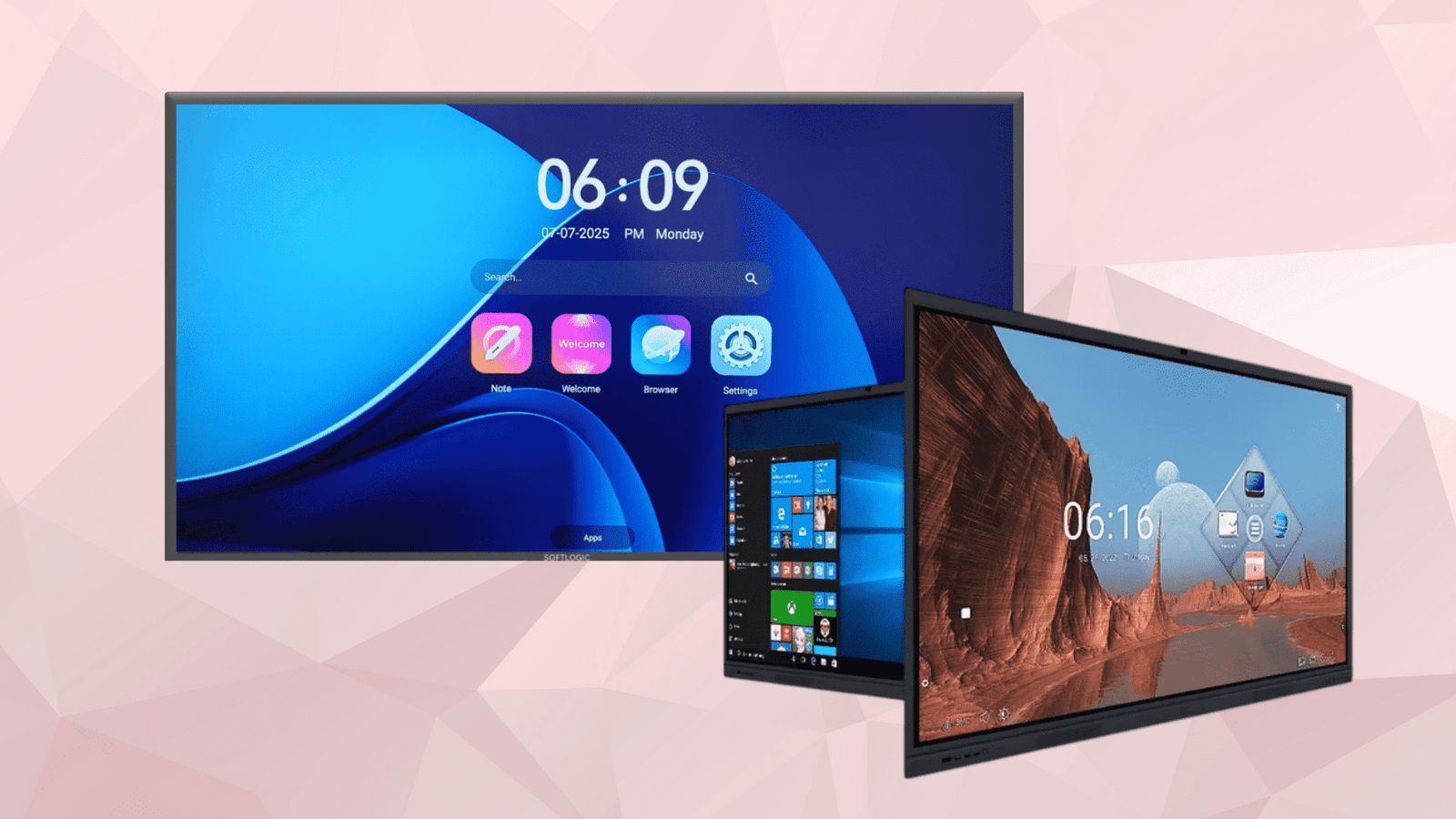
Upgrade classrooms, meeting rooms and training spaces with Interactive Flat Panels from APSDP Solutions. Designed for interactive presentations, digital teaching and team collaboration, these touchscreen displays help schools, colleges and businesses create more engaging learning and working environments. Contact us for product options, specifications, installation support and quotations in Bhubaneswar and across Odisha.
APSDP Solutions provides Interactive Flat Panel solutions for educational institutions, corporate offices, meeting rooms, training centres and other professional environments in Bhubaneswar and across Odisha. An Interactive Flat Panel (IFP) is a large touchscreen display that allows users to present information, write digital notes, interact with on-screen content and collaborate using compatible software and devices.
Unlike a conventional display used only for viewing content, an interactive flat panel allows presenters, teachers and participants to engage directly with the screen. Depending on the model, it can support digital whiteboarding, presentations, multimedia lessons, document annotation, wireless screen sharing and computer-based applications.
Whether you are planning a smart classroom for a school, a digital learning space for a college or a modern presentation room for your organisation, APSDP Solutions can help you explore suitable interactive display options based on your requirements.
An Interactive Flat Panel Display is a touchscreen-enabled digital display designed for interactive teaching, presentations and collaboration. It combines a large visual display with touch input and compatible software, allowing users to control content directly on the screen.
Teachers can explain lessons using digital notes, diagrams, images and videos. Students can participate in interactive activities, while office teams can present documents, review ideas and collaborate during meetings.
Interactive flat panels are available in different screen sizes and configurations. Depending on the selected model, features may include 4K Ultra HD resolution, multi-touch functionality, built-in speakers, wireless connectivity, an Android operating system and an optional OPS computer module.
A large interactive display makes educational content, presentations, charts and diagrams easier for groups to view. Users can interact with supported content using their fingers or a compatible stylus.
Many modern interactive flat panels offer 4K Ultra HD resolution, delivering detailed images and clear text. This can be particularly useful when displaying educational diagrams, spreadsheets, presentations, product demonstrations and technical content.
Note: Resolution and display quality vary by model. Confirm the exact specifications before purchasing.
Supported multi-touch technology allows users to write, draw, move objects and interact with content directly on the screen. Certain models allow multiple users to work on the display simultaneously, supporting group activities and collaborative discussions.
Compatible whiteboard software allows teachers and presenters to write notes, draw diagrams, highlight important information and explain concepts visually. Depending on the software, users may also be able to save or share their work for future reference.
Compatible interactive flat panels can support wireless screen sharing from laptops, tablets and smartphones. This allows presenters to display content without always relying on a physical video cable.
Available devices, supported operating systems and the number of simultaneous connections depend on the panel and its software.
Many interactive flat panels include built-in speakers for videos, presentations and audio-based learning. Selected models may also support cameras and microphone arrays for video conferencing and hybrid meetings.
Check the individual product specifications to determine which audio and conferencing features are included.
Depending on the configuration, an interactive flat panel may include an Android operating system and support an optional Open Pluggable Specification (OPS) computer module.
An OPS module can provide a compatible Windows-based computing environment for applications that require it. Buyers should confirm the panel's OPS compatibility, computer configuration, operating system licensing and included software before ordering.
Depending on the model, available connections may include HDMI, USB, USB Type-C, LAN and wireless networking. These connections can help users integrate compatible laptops, computers and other devices into their presentation or teaching setup.
Teachers can combine text, images, videos, diagrams and interactive activities to explain concepts in different ways. Visual and hands-on teaching methods can help make lessons more engaging for students.
An interactive flat panel can serve as a central display for digital learning materials, presentations, educational videos and compatible teaching applications.
Teachers can invite students to solve problems, label diagrams, answer questions and participate in group activities directly on the screen, depending on the software and lesson format.
An interactive flat panel can combine display and touch-based whiteboarding in one device. Depending on the classroom requirements and selected configuration, it may reduce the need for a separate projector and traditional whiteboard.
Schools, colleges and training institutions can use interactive panels as part of a broader smart classroom setup that may also include computers, digital podiums, audio systems and classroom networking.
Interactive flat panels are not limited to education. They can also support everyday business activities.
Meetings and presentations: Display reports, proposals, charts and business plans.
Team collaboration: Brainstorm ideas and annotate documents during discussions.
Training sessions: Deliver presentations and training materials on a large touchscreen.
Video conferencing: Use compatible conferencing applications and connected audio-video equipment.
Project planning: Review diagrams, workflows and project documents with colleagues.
Client demonstrations: Present products, services and proposals in a professional environment.
The available functions depend on the display model, software, connected devices and network configuration.
Interactive teaching, digital lessons, classroom presentations and student activities.
Lectures, research presentations, seminars, group discussions and digital learning.
Training presentations, demonstrations, revision sessions and interactive teaching.
Boardroom presentations, internal meetings, employee training and collaborative planning.
Business presentations, training sessions, event information and compatible conferencing applications.
Product demonstrations, customer presentations, visual catalogues and interactive sales discussions.
Selecting the right interactive flat panel involves more than comparing screen prices. Consider the following factors before making a purchase.
Screen size: Choose a display based on room dimensions, viewing distance, seating arrangements and the number of users.
Display resolution: Consider 4K Ultra HD or another suitable resolution based on the content you intend to display.
Touch capability: Check touch accuracy, supported touch points, writing experience and compatibility with the intended applications.
Operating system: Determine whether the built-in system meets your needs or whether an OPS computer is required.
Connectivity: Check HDMI, USB, Type-C, LAN and wireless screen-sharing requirements against the devices already used by your organisation.
Audio and conferencing: Confirm whether built-in speakers are sufficient or whether external cameras, microphones and speakers are needed.
Software compatibility: Check that the required teaching, presentation, collaboration and conferencing applications are supported.
Mounting and installation: Decide whether the panel should be wall-mounted or installed on a compatible mobile trolley. Consider power supply, cabling and room layout.
Warranty and support: Confirm the manufacturer's warranty, service terms, installation scope and availability of technical support before purchase.
Total project cost: Consider the panel, any OPS module, mounting accessories, software, installation and other required equipment rather than comparing the display price alone.
APSDP Solutions supports institutions and businesses looking for interactive flat panel solutions in Bhubaneswar and across Odisha. We understand that different organisations have different requirements, from a single classroom display to multiple panels for a school, college, training centre or corporate office.
Our approach is to understand your application, room requirements, preferred features and budget before recommending a suitable configuration.
Depending on the project, assistance may include product selection, configuration planning, compatible OPS systems, mounting accessories, installation coordination, setup and user guidance.
If your institution is planning a new smart classroom or upgrading an existing presentation environment, contact APSDP Solutions to discuss your requirements and request a quotation.
Institution-focused solutions: Options for schools, colleges, training centres and corporate environments.
Requirement-based selection: Assistance in identifying suitable screen sizes and configurations.
Related technology products: Options to explore compatible OPS systems, trolleys, digital podiums and other smart classroom equipment.
Project-oriented approach: Consideration of installation, connectivity and the wider room setup.
Local market focus: Serving customers in Bhubaneswar and across Odisha.
Please contact us to confirm current product availability, supported features, installation coverage, warranty conditions and pricing.
Planning to upgrade your classroom, meeting room or training centre? Contact APSDP Solutions to discuss interactive flat panel options for your organisation.
Share your preferred screen size, quantity, installation location and intended use. Our team can help you evaluate suitable configurations and prepare a quotation based on your requirements.
APSDP Solutions — Smart Technology. Integrated Solutions.
Website: https://apsdpsolutions.in
Contact APSDP Solutions for interactive flat panel enquiries, product options and smart classroom solutions in Bhubaneswar and across Odisha.
Frequently asked questions — Product FAQs
An Interactive Flat Panel is used for digital teaching, presentations, collaborative activities, meetings and training. Its touchscreen allows users to write, draw and interact with supported content directly on the display.
An interactive flat panel combines a display and touchscreen in one device. A traditional projector displays an image on a screen or wall and generally requires separate equipment for touch-based interaction. The better choice depends on your room, budget and intended use.
The appropriate size depends on classroom dimensions, viewing distance, seating arrangements and student numbers. Common options in the market include 65-inch, 75-inch and 86-inch panels, with larger sizes also available from selected manufacturers. Confirm availability with APSDP Solutions.
Many modern interactive flat panels support 4K Ultra HD resolution, but not every model has the same display specifications. Check the selected model's datasheet to confirm its native resolution.
Yes. Compatible panels can connect to laptops and computers through supported connections such as HDMI or USB Type-C. Some models also support wireless screen sharing. Check the panel's available ports and compatibility before purchase.
Contact APSDP Solutions through https://apsdpsolutions.in and share your required screen size, quantity, intended application and installation location. You can request suitable product options and a quotation based on your requirements.
Yes. Interactive flat panels can be used in school classrooms, college lecture rooms, training centres, corporate meeting rooms and conference facilities. The ideal configuration depends on the intended application and required software.
Not always. Some models have a built-in operating system for supported applications. A separate computer or compatible OPS module may be needed for particular Windows applications or other computing requirements.
Many interactive panels support digital whiteboard applications that allow teachers to write notes, draw diagrams and annotate content. Saving or exporting lessons depends on the installed software and available storage or sharing options.
Some models support multi-touch interaction, allowing several users to write or interact simultaneously. The number of supported touch points and the behaviour of individual applications vary by model.
Yes, if the selected panel supports the appropriate mounting arrangement and the wall can safely accommodate the equipment. Compatible mobile trolleys may be an alternative when the display needs to move between rooms. Mounting accessories and installation requirements should be confirmed before ordering.
Price depends on screen size, resolution, touch technology, operating system, memory and storage, software, connectivity, audio-video features, OPS configuration, accessories and warranty terms. Request a quotation for the specific configuration you need.
APSDP Solutions offers a range of related products, including interactive flat panels, OPS systems, trolleys and digital podiums. Discuss your project requirements with the team to confirm the products, integration and installation services available for your location.
APSDP Solutions focuses on serving customers across Odisha, including Bhubaneswar, Cuttack, Puri, Rourkela, Sambalpur and Berhampur. Confirm current product availability and installation or delivery coverage for your specific location.
Partner with us to design, build, and scale intelligent digital solutions.